Admin Workflows That Helped Cities Implement Data Faster
- Role
- UX/UI Designer
- Timeline
- Shipped 2026
- Skills
- Admin Dashboard, Workflow Design, UX/UI
- Team
- Team of 20: engineers, PM, designers, and researchers
TL;DR
Redesigned Joining, Onboarding, and Implementing workflows so city administrators could upload and maintain Quality of Life data without manual Excel handoffs. Automated reminders, document signing, and error flagging reduced admin friction and helped scale adoption from 62 to 170+ cities in six months.
Overview
Behind every public dashboard is a system that city administrators use every day. They're responsible for uploading datasets, reviewing indicators, updating information, and keeping everything accurate.
Before the Innovation team started, the UN worked manually with each city. Manual data collection. Excel uploads. Error checking by hand. Updates done one at a time. It was slow, error-prone, and it meant cities spent more time decoding the process than actually managing their data.
My job was to redesign those workflows. The goal was to make them clear and efficient so administrators could focus on keeping city data accurate instead of wrestling with the platform.
Table of contents
The Problem
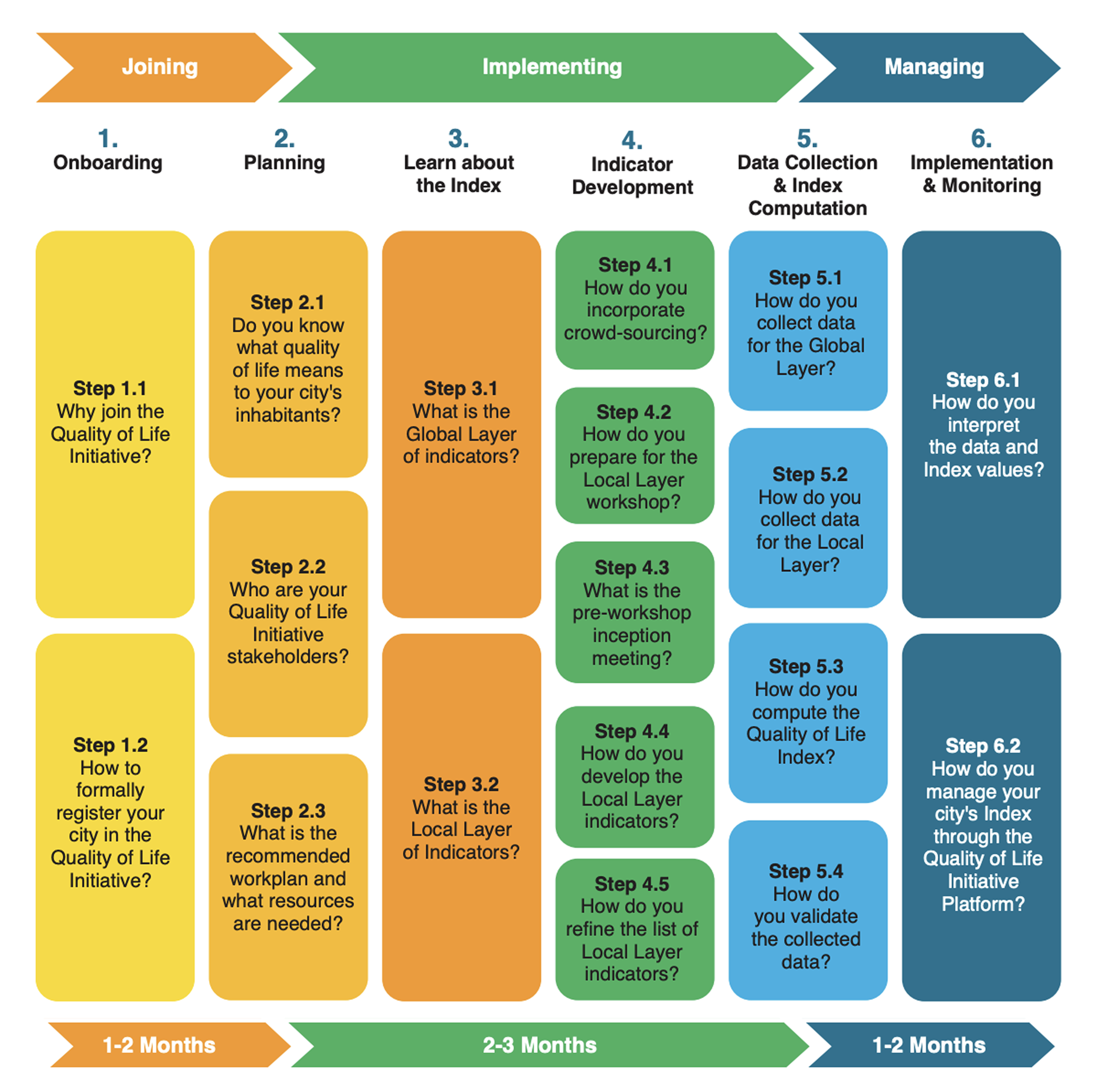
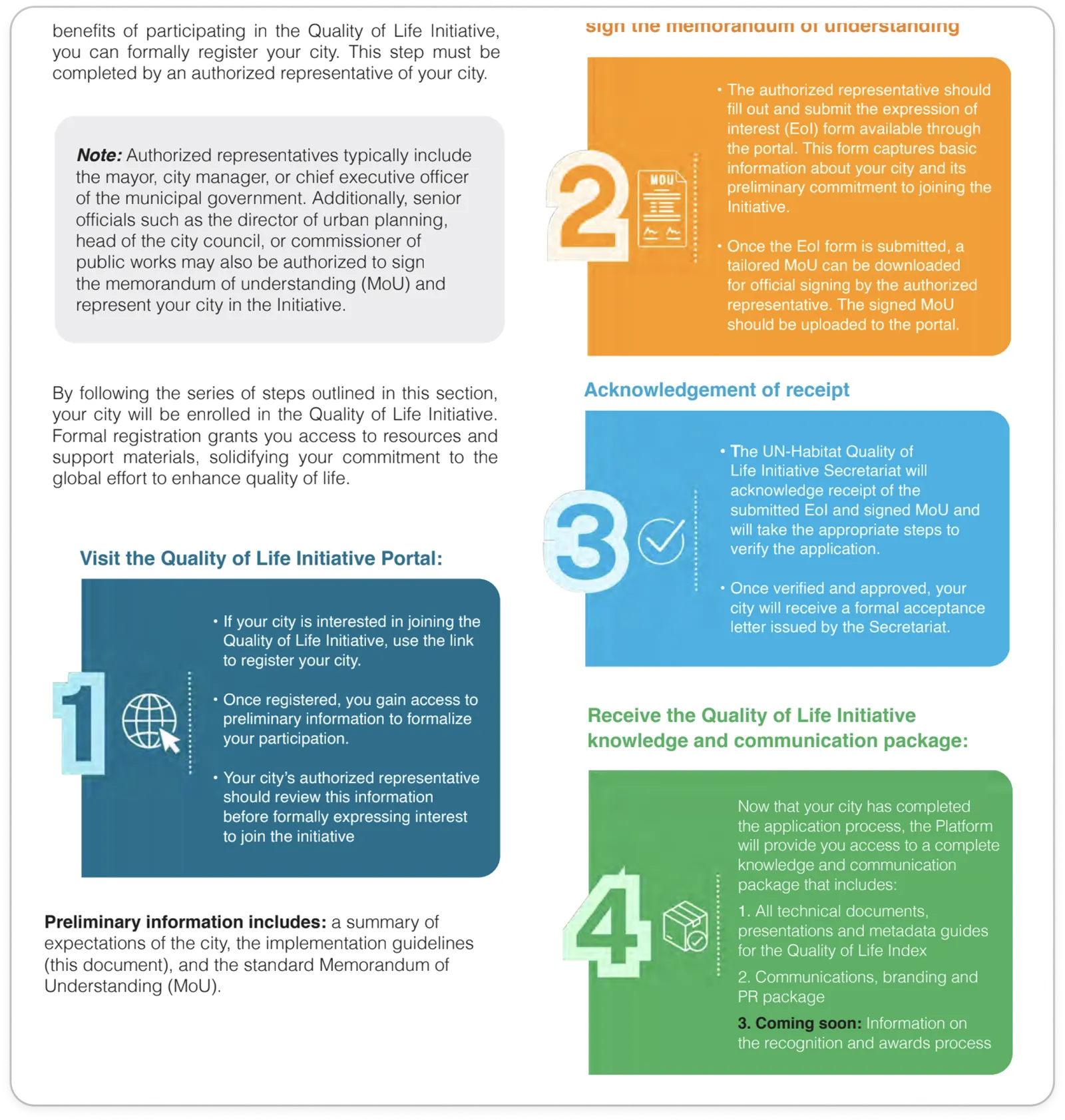
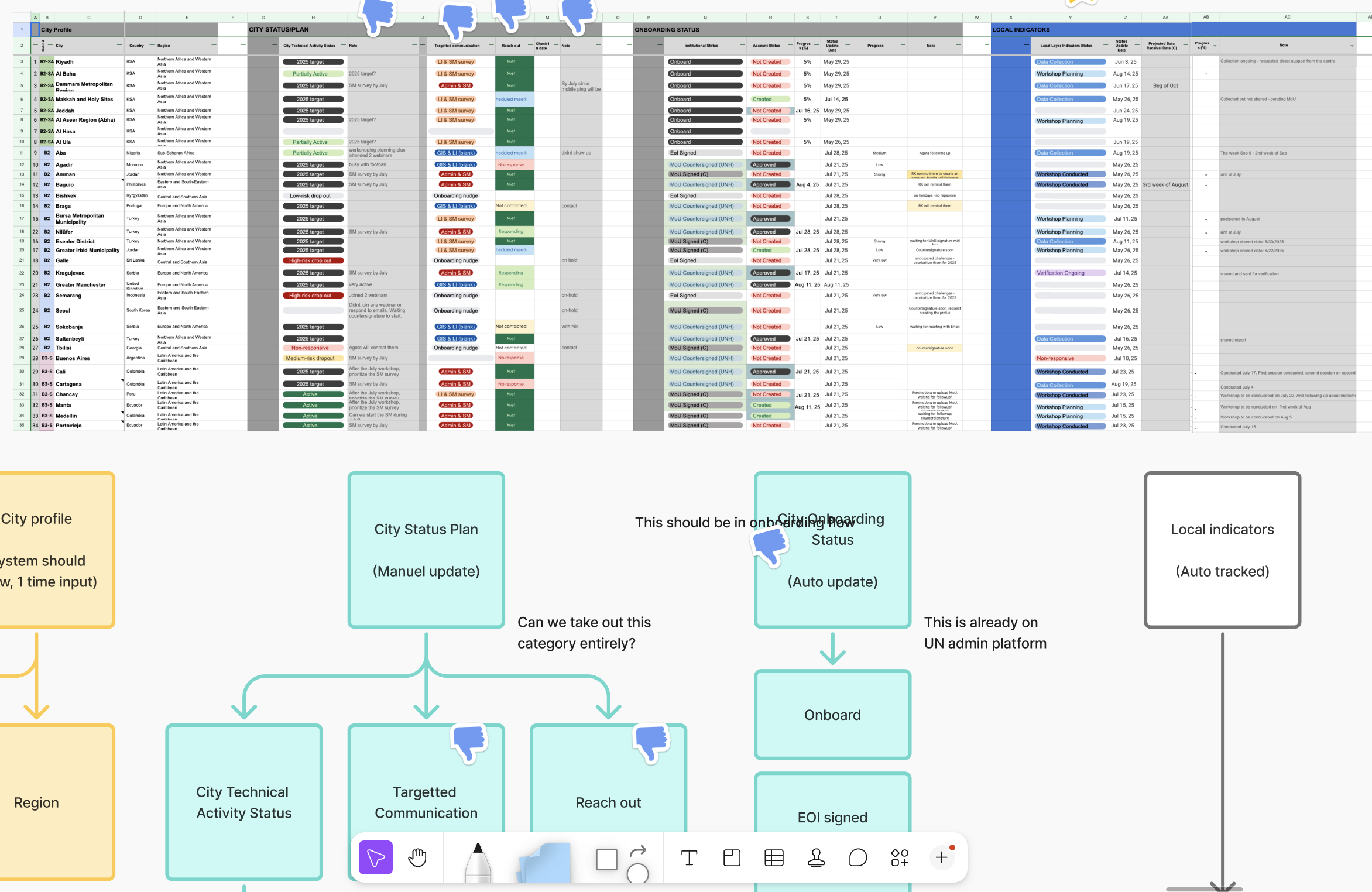
The existing workflow had three major phases: Joining, Onboarding, and Implementing. Each phase had multiple sub-steps and edge cases. Cities had to coordinate with the UN manually. The UN team had to track everything in spreadsheets and emails.
A confusing workflow doesn't just frustrate users. It slows down the entire organization and makes it easier for inaccurate data to slip through.
I needed to understand the full picture before designing anything. How did cities upload their data? How did the UN-Habitat team review and approve it? Where were the bottlenecks and context switches that wasted time?
The Process
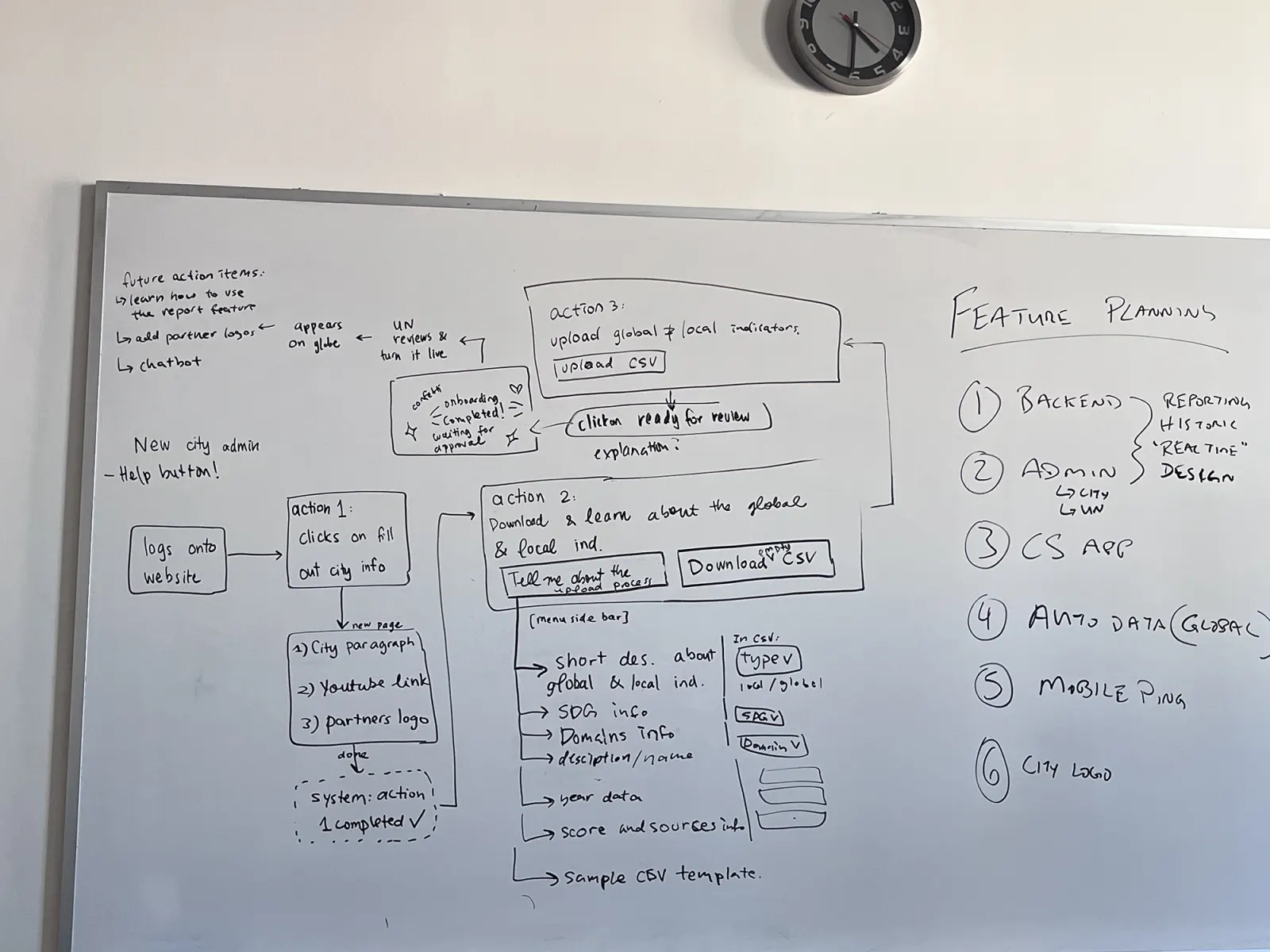
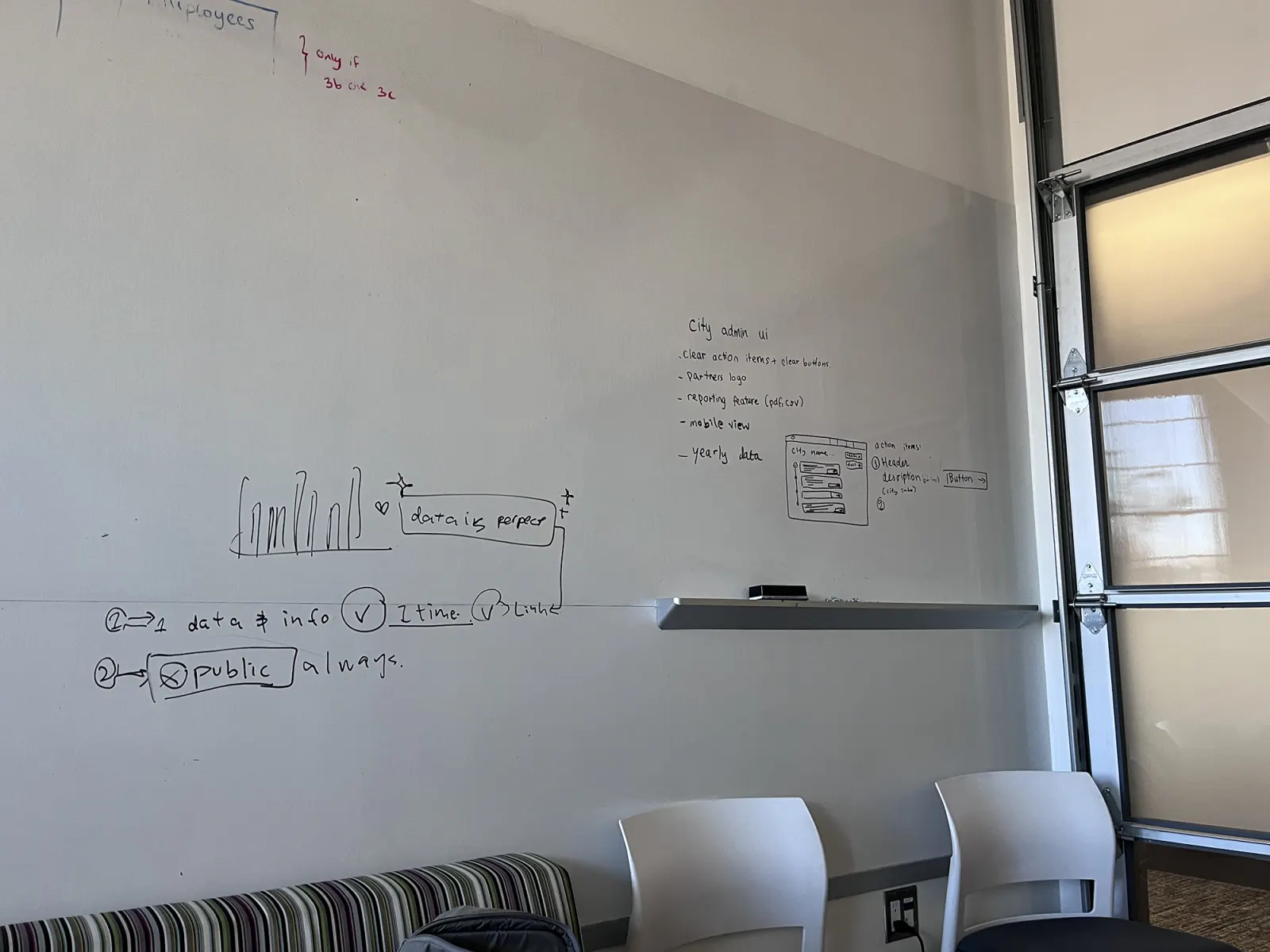
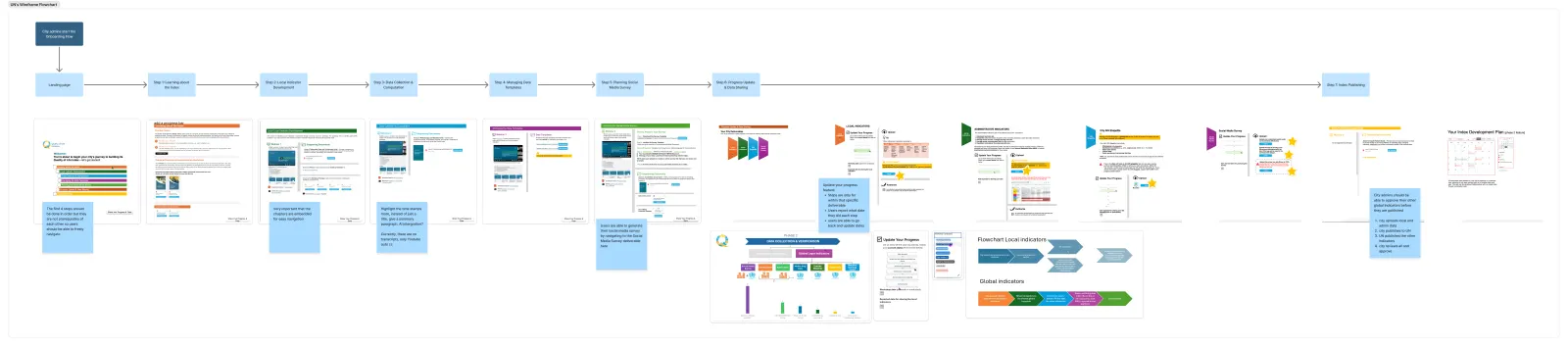
This was one of the most complex design challenges I'd worked on. The workflow was massive. I partnered with Connie, another designer on the team, and we mapped out every step across all three phases.
We broke each task into smaller pieces. We clearly defined how each action affected different stakeholders. That helped us see where users were making unnecessary decisions or switching context too often.
Key Insights from the Workflow Analysis
Once we had the full picture, patterns emerged.
Manual data entry was creating errors and wasting time. Cities entered the same information multiple times across different systems. The UN team manually entered that data again when reviewing it. This duplication meant data inconsistencies and wasted effort.
Cities didn't know what was expected.Many administrators weren't tech-savvy. They didn't understand the workflow upfront, so they made mistakes early on. The UN team had to correct these mistakes manually, which slowed everything down.
The UN team was bottlenecked on manual verification. Every upload needed a human to check for missing or incorrect data. As we scaled to more cities, this became unsustainable. We needed a system that caught obvious errors automatically so the team could focus on actual verification.
Communication happened everywhere except the platform. Cities and the UN team coordinated through email, calls, and spreadsheets. This fragmentation made it hard to track progress and easy to miss deadlines.
Design Goals
Based on these insights, we defined what needed to change.
- Automate data population so cities entered information once and it flowed through the entire system
- Structure the learning so administrators understood the process before starting
- Catch errors automatically so the UN team focused on verification, not detection
- Consolidate communication into the platform itself
The Solution
Joining: Automating City Registration
The insight: cities were entering their basic information multiple times.
We created a single form to collect city data upfront. That information automatically populated all downstream documents and emails. No re-entry. No inconsistencies. One source of truth.
We also moved signature collection into the platform so stakeholders didn't have to coordinate outside of it.
Onboarding: Replacing Manual Calls with Structured Learning
The insight: cities didn't understand the process upfront, so they made mistakes early.
We built learning modules and videos that explained the workflow before administrators started work. We added automatic reminders so cities stayed on track. This replaced the manual calls the UN team had been making.
Implementing: Catching Errors Before They Publish
The insight: the UN team was bottlenecked verifying every upload manually.
We designed a system that automatically flagged data that was missing or looked incorrect. Administrators could see these flags immediately and fix them. By the time the UN team reviewed, most obvious errors were already caught.
The Impact
This workflow redesign was critical to the adoption scaling. Administrators could onboard faster because the process was clear. The UN team had capacity to support more cities without adding headcount because they weren't doing manual error detection. Data quality improved because errors were caught systematically.
This workflow, combined with the public-facing platform, enabled the scale from 62 to 170+ cities in six months.
What I Learned
This project reinforced why empathy matters in design. I spent real time understanding how cities actually worked. How they collected data. How the UN team reviewed it. What steps felt like friction.
That understanding shaped every design decision. I wasn't designing an admin dashboard in a vacuum. I was designing a tool that let stressed administrators do their job more clearly and efficiently.
I also learned the importance of systems thinking. Every design choice in the admin workflow affected the public-facing platform. Faster data entry meant more cities could launch faster. Clearer error states meant better data quality. Those things compound.
Sometimes the work that moves the needle isn't the work that gets noticed. But building the infrastructure for scale is just as important as designing the public experience.
Latest Projects